
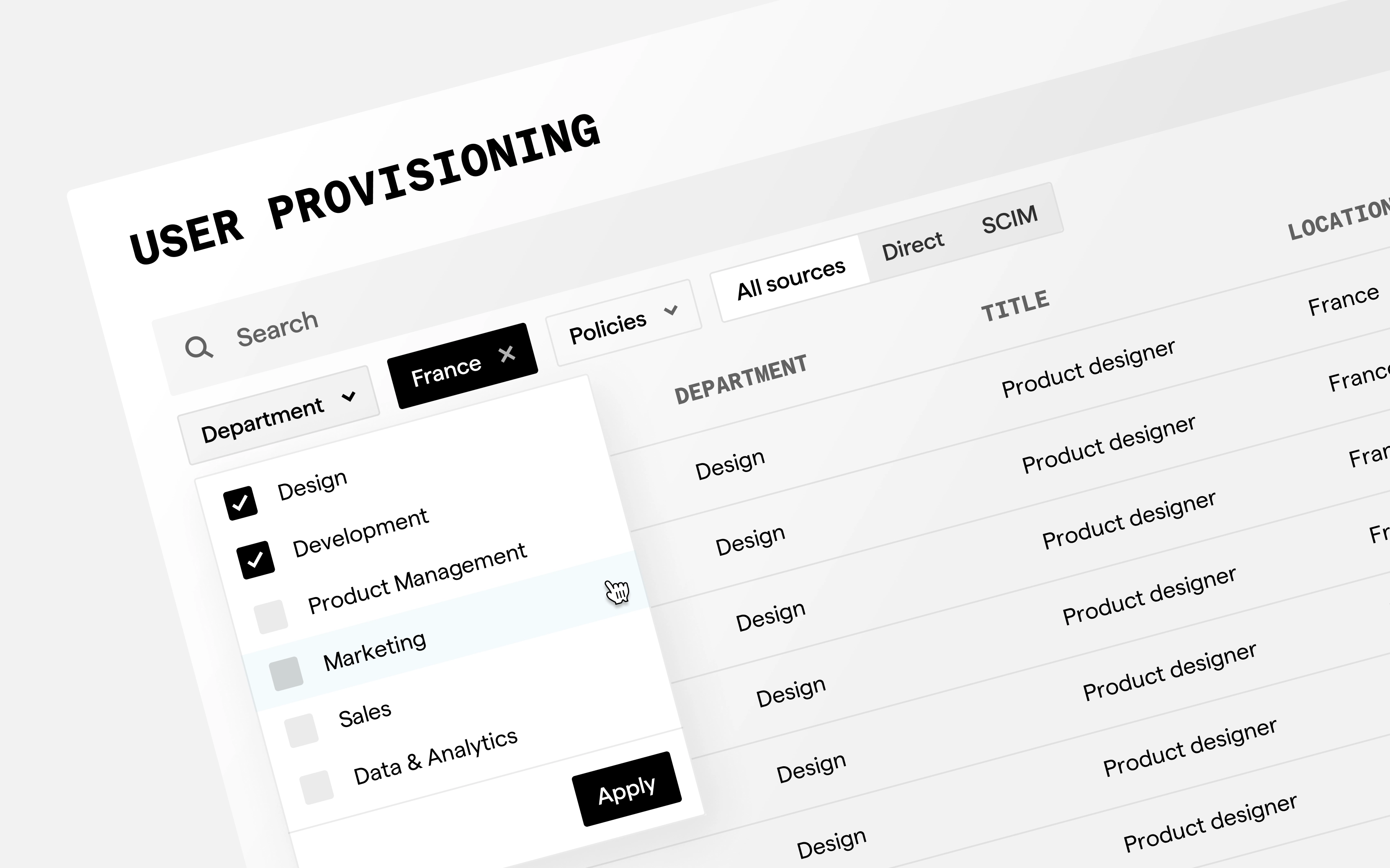
Overview
Company: Piano
Product: A mobile app for analytics on the go, with an AI agent that sends you a feed of insights.
Role: Product Designer. The concept was shaped by three of us. I owned the agent flow end-to-end, and I also work on the app’s design system — building components and patterns, including the tab bar and core navigation.
Platform: Mobile app
The Problem
The insights are usually there — but you have to dig for them. You open dashboards, scan reports, and hope to spot a trend in time.
The idea: set up an AI agent once, and it brings the insights to you — as a feed you just read.
The Problem
Not everyone wants to build an agent from scratch. So I designed two paths: subscribe to a ready-made preset, or create your own. New users get value in one tap; advanced users get full control.
The Screens
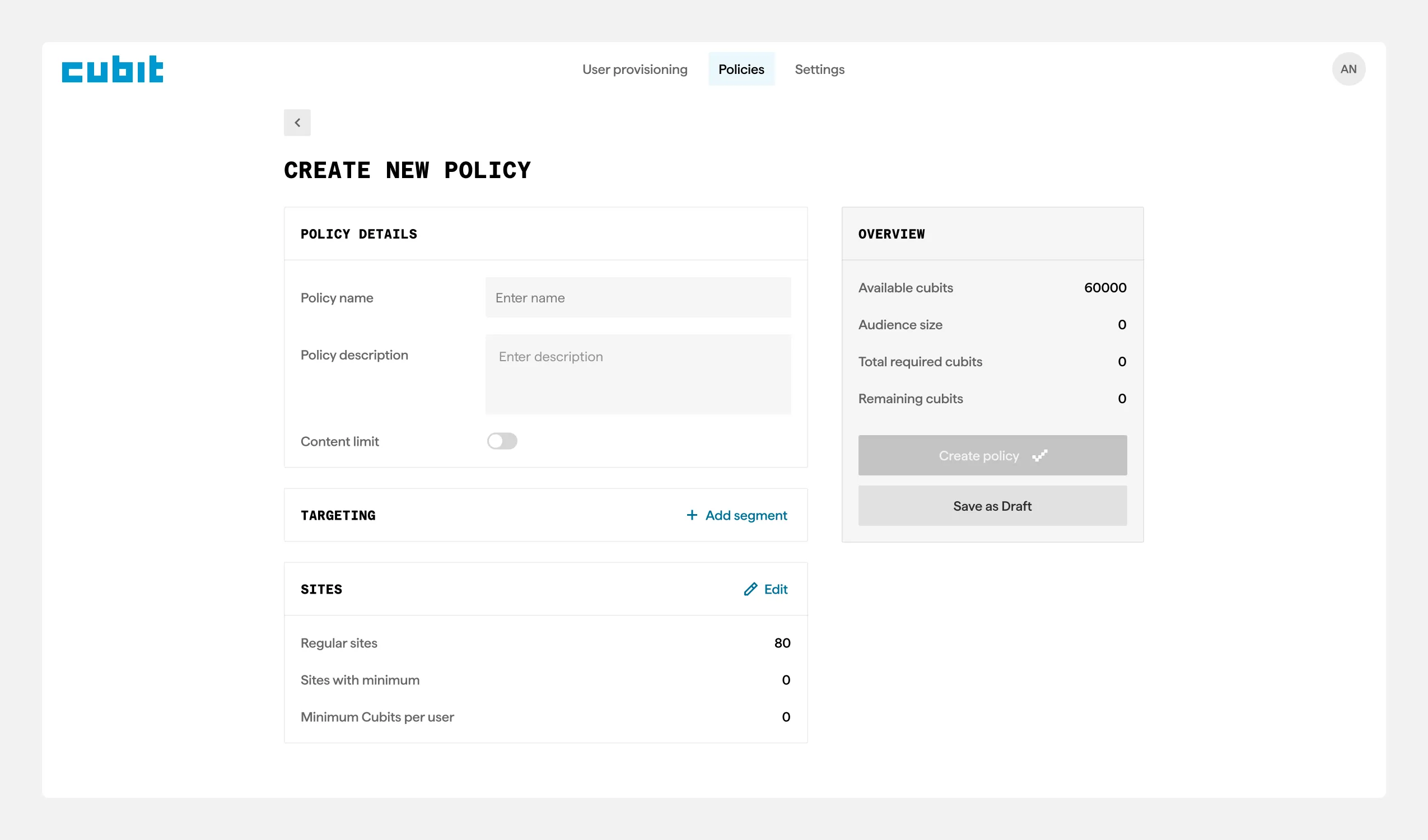
Policy creation — sidebar with live Cubit balance and projected cost
Policy Detail — Current vs. Upcoming
When a policy has scheduled changes, a toggle lets admins switch between “Active state” and “Scheduled changes” No guessing what changes when.
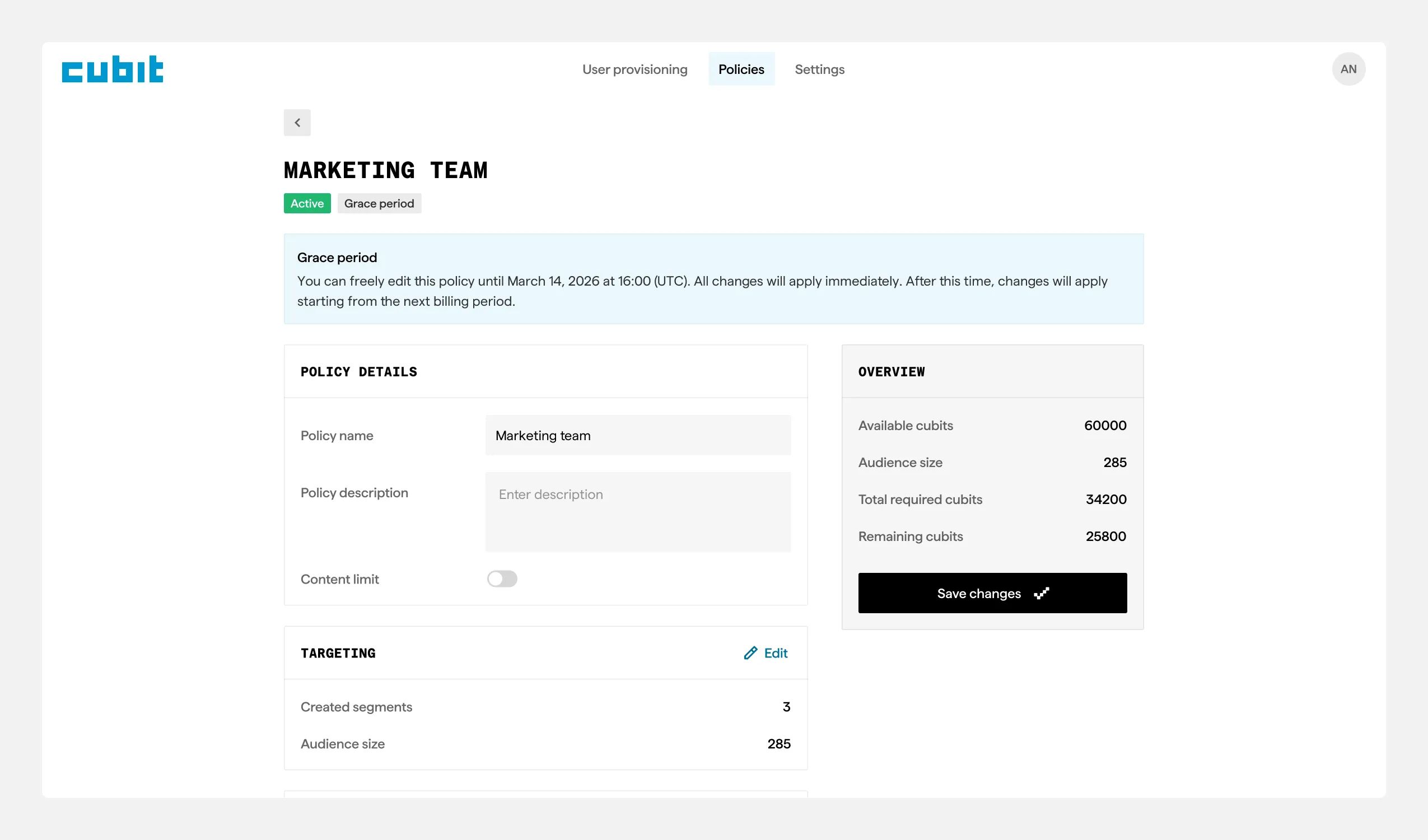
Policy detail — current vs. next billing cycle toggle
Decisions & Trade-offs
-
Pending state for SCIM users: Cost safety over seamless provisioning.
-
Changes locked to billing cycles: Enterprise predictability over instant flexibility.
-
48-hour grace period: Balance between fixing mistakes and system stability.
-
Live cost preview on every action: Over-communicate cost impact — the #1 admin concern.
-
Compound status badges: Clean list view while conveying complex lifecycle.
Result
- Delivered a beta-ready design for the Licensee product, plus the core flows for Publisher and User.
- Built a design system (30+ components) that held up through two full rebrands.
- Positive feedback from the team and product owner along the way.
- The project is paused for business reasons; the design is ready to ship if it comes back.
Reflection
Designing with no user data and changing requirements meant every decision came from domain logic and the business rules, not references. The rebrands were the hardest part — but the design system handled them well.
What I’d do differently: set up design tokens from day one (the rebrands would have cost much less time), and push for a tighter MVP scope earlier to avoid mid-project pivots.