
Overview
Company: Piano (Piano Analytics)
Product: A mobile app for analytics on the go — with an AI agent that sends you a feed of insights.
Role: Product Designer. The concept was shaped by three of us; I owned the agent creation & management flow end-to-end.
Platform: Mobile-only
Context
Piano’s core analytics product lives entirely on web. As the team looked at how people used it, one gap stood out: users had to actively open dashboards to catch trends and anomalies — there was no way to just get notified. The request from the business was simple: build a mobile app where AI agents do that digging automatically. There was no formal research phase before this — the problem was already clear from how the web product was used — so I moved straight into shaping the concept with two other team members.яё
The Problem
The insights are usually there — but you have to dig for them. You open dashboards, scan reports, and hope to spot a trend in time.
The idea: set up an AI agent once, and it brings the insights to you — as a feed you just read.
Two Ways In
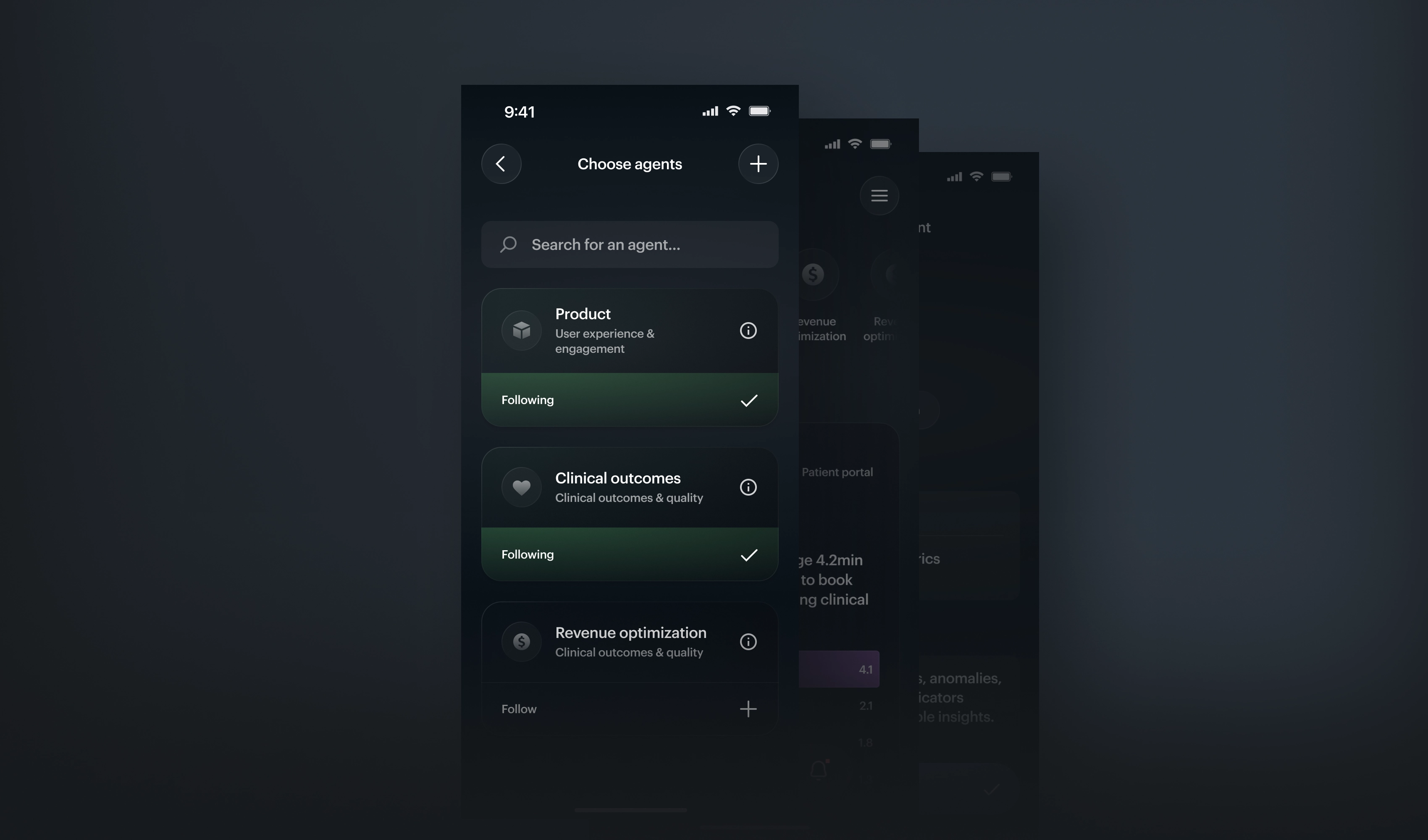
Not everyone wants to build an agent from scratch. So I designed two paths: subscribe to a ready-made preset, or create your own. New users get value in one tap; advanced users get full control.
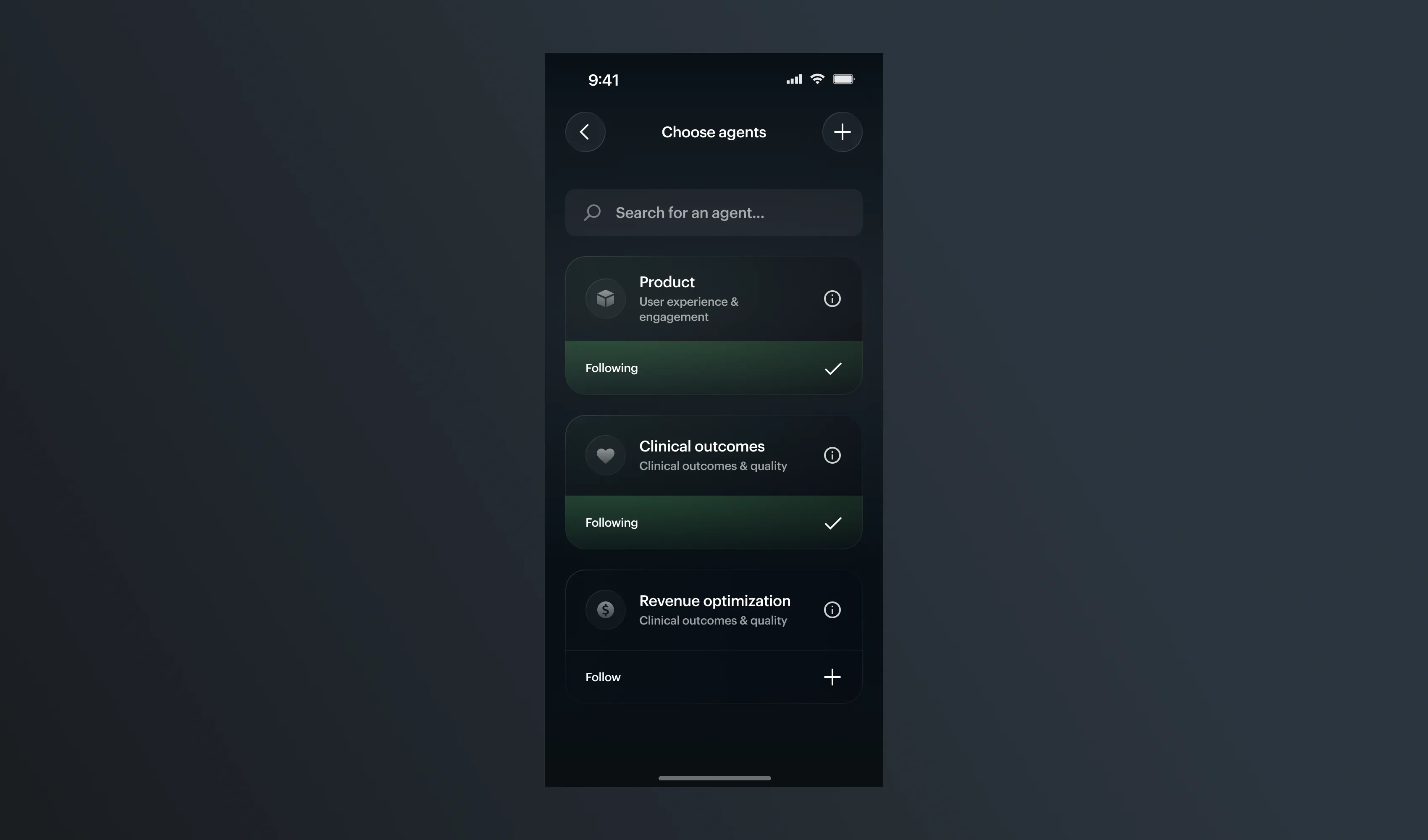
Ready-made agents you can subscribe to in one tap — so users start with something useful right away.
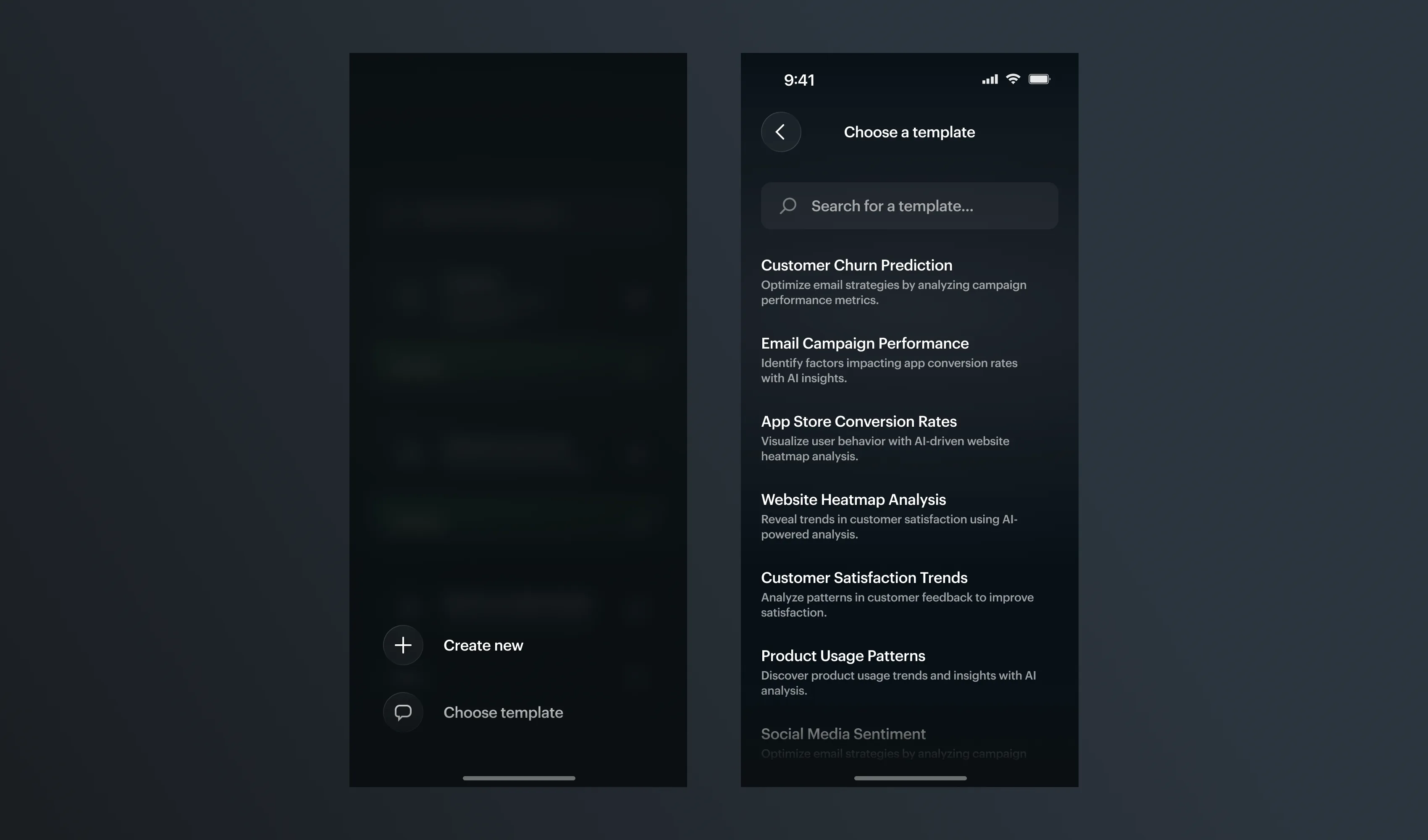
The fork: pick a template, or build one from scratch.
The Creation Flow
Building an agent from scratch means a few decisions — identity, data, and delivery. On mobile, I split them into short steps, one screen at a time, so the setup never feels heavy. The order follows how people think: first what the agent is, then where the data comes from, then how it’s delivered.
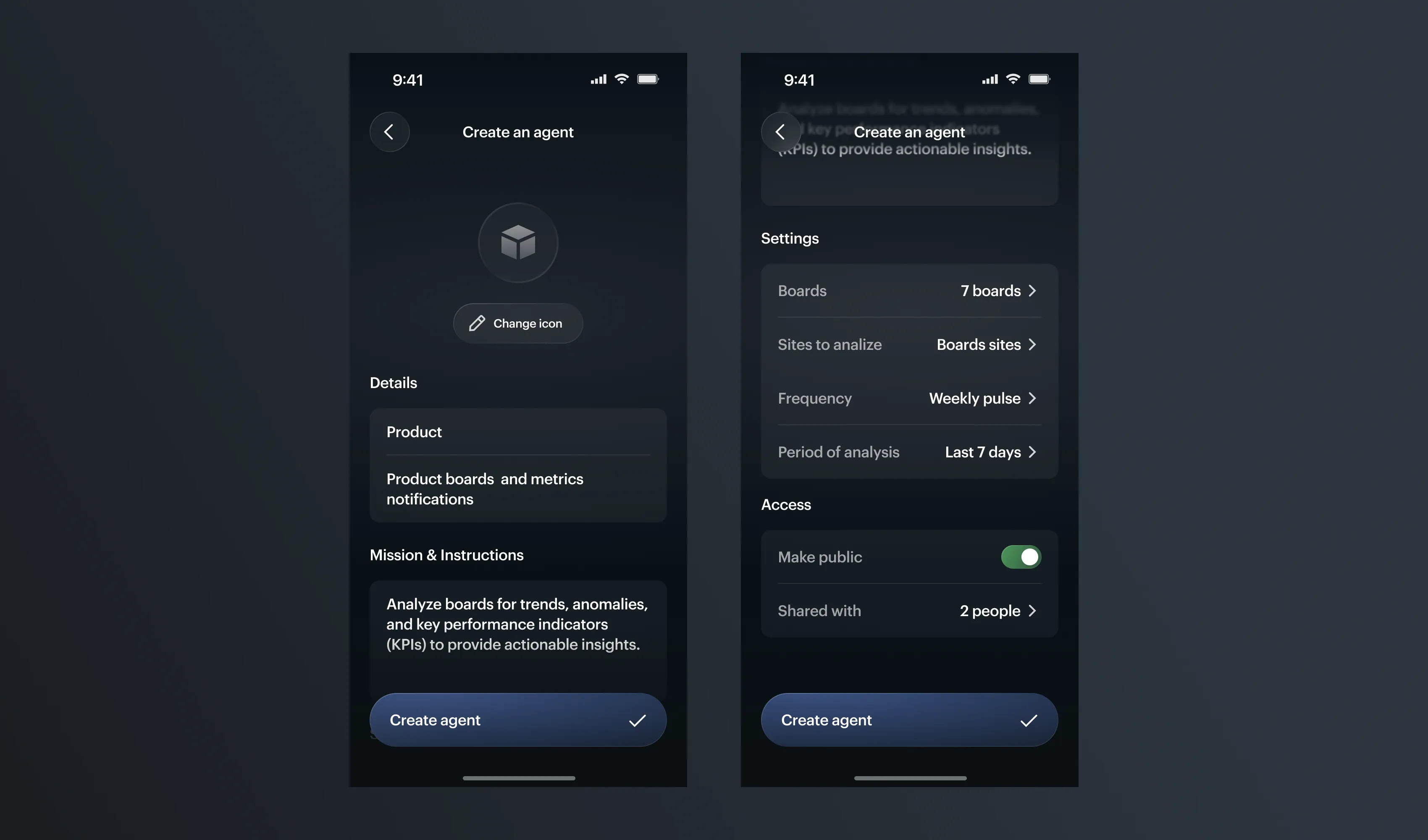
Give the agent an identity: icon, image, name, and description — so it’s easy to recognize later in the feed.
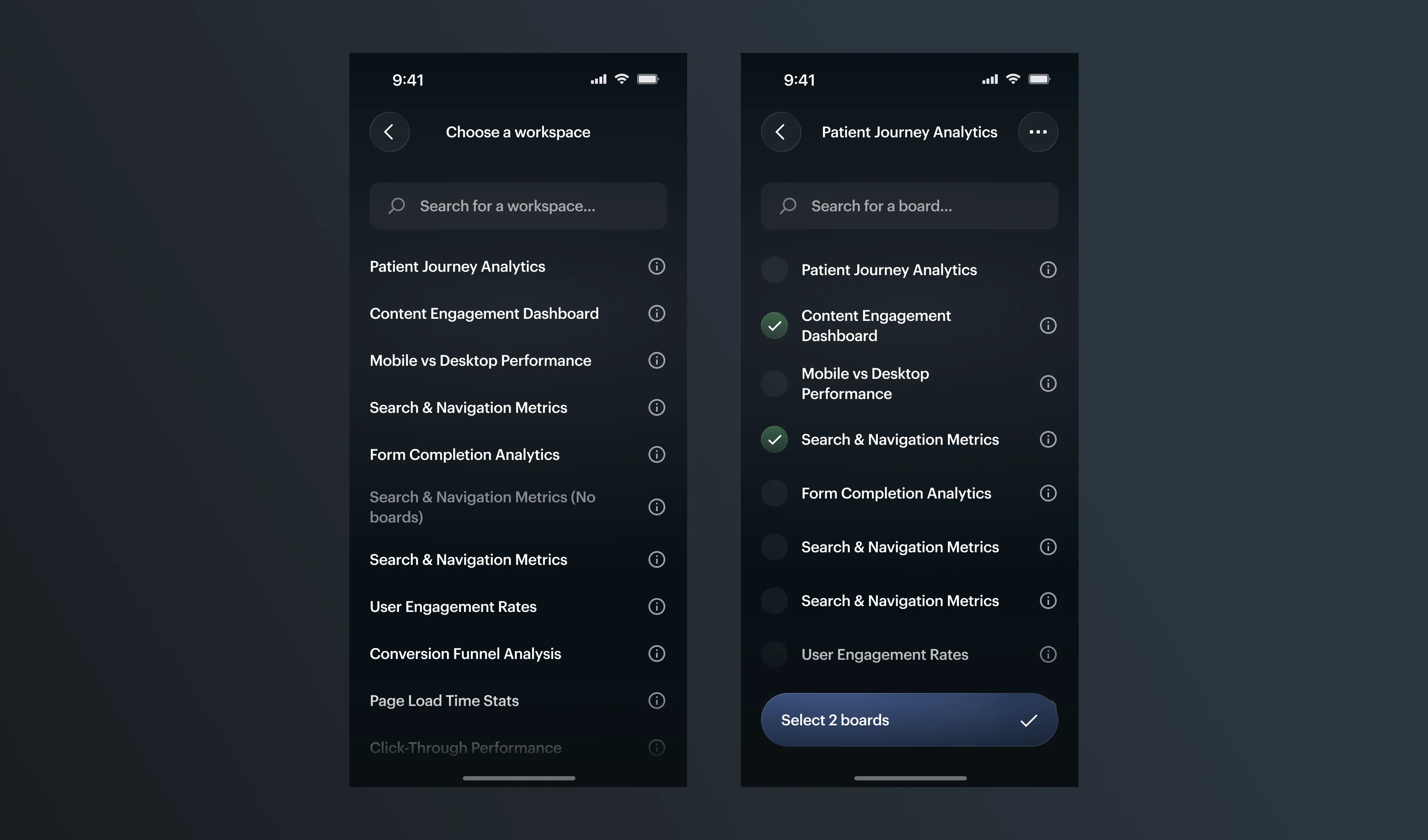
Choose the data in two quick steps: first the workspace, then one or more boards.
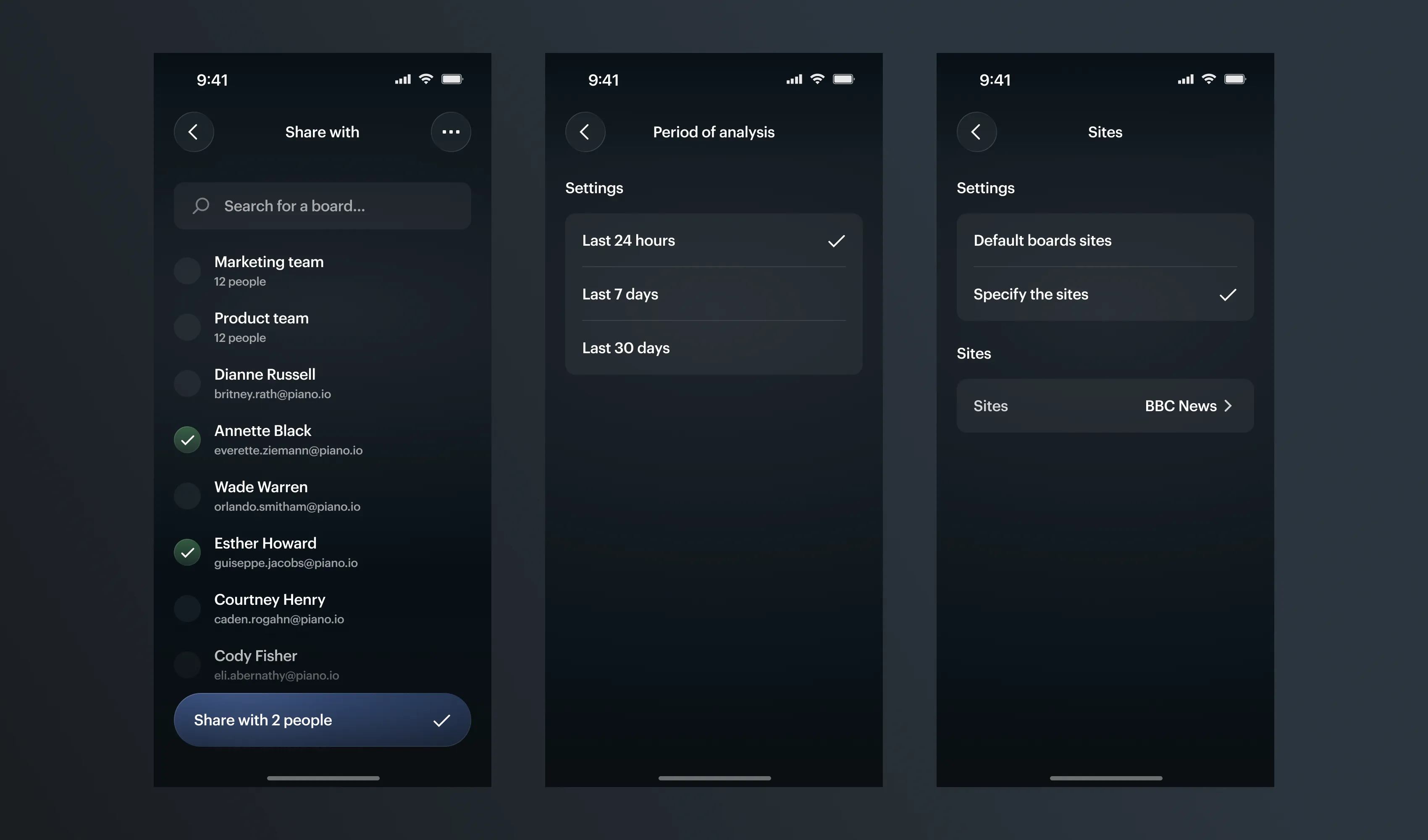
Set the rest, one decision per screen: who to share with, the period of analysis, and the sites to cover.
The Hard Part
Building this meant working without an established design system. There were no existing patterns for agent cards, multi-step flows, or feed items — I had to define new components, colors, and typography as I went, while making sure they’d hold up across the rest of the product, not just this feature. Since I’m also responsible for the product’s design system going forward, every screen was really two decisions at once: how it should work here, and whether the pattern should become something other flows reuse too. That’s what made this project heavier than a normal flow — I wasn’t just designing screens, I was building the system underneath them at the same time.
Early Results
We’re in closed beta with a small group of users. Early signal is encouraging: most users who start the setup flow complete it and launch an agent. Next step is instrumenting the flow more closely — tracking completion rate at each step and how often agents keep delivering insights people actually act on.
Reflection
On mobile, the order of steps is everything. And giving users two ways in — a preset or a fresh start — was the choice that made a complex tool feel easy.